Note: This feature is only for after-sales and customer feedback testing and debugging, and cannot be used in daily operations! The lower-level machine is generally not easily changed or updated.
The ENC controller consists of the upper-level machine, which mainly handles user input and displays processing data, and the lower-level machine, the motion controller, which converts G-code and M-code into pulses to ultimately drive the motor and control the machine tool.
Click <Settings> -> <Manufacturer Settings> -> <Update Lower-Level Machine Firmware>.
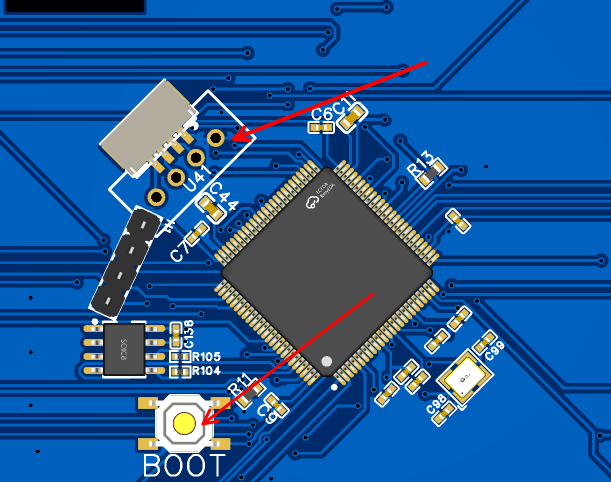
Then follow the prompts: press and hold the BOOT button on the lower-level machine’s circuit board, plug and unplug the 4P cable shown in the diagram once, then click <OK>, and wait a moment to start updating the lower-level machine firmware.
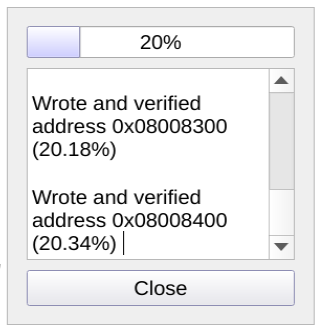
After the update is complete, power off and restart once. The image below shows the process of updating the lower-level machine firmware. If it doesn’t work, repeat the above steps and try again.