You can use a USB drive to transfer machining files to the controller’s internal storage, or use E-Link software to transfer them over the network.
After connecting to Wi-Fi, click on “File” and then click on “Ethernet” on the left side to see the IP address assigned to the controller by the router.
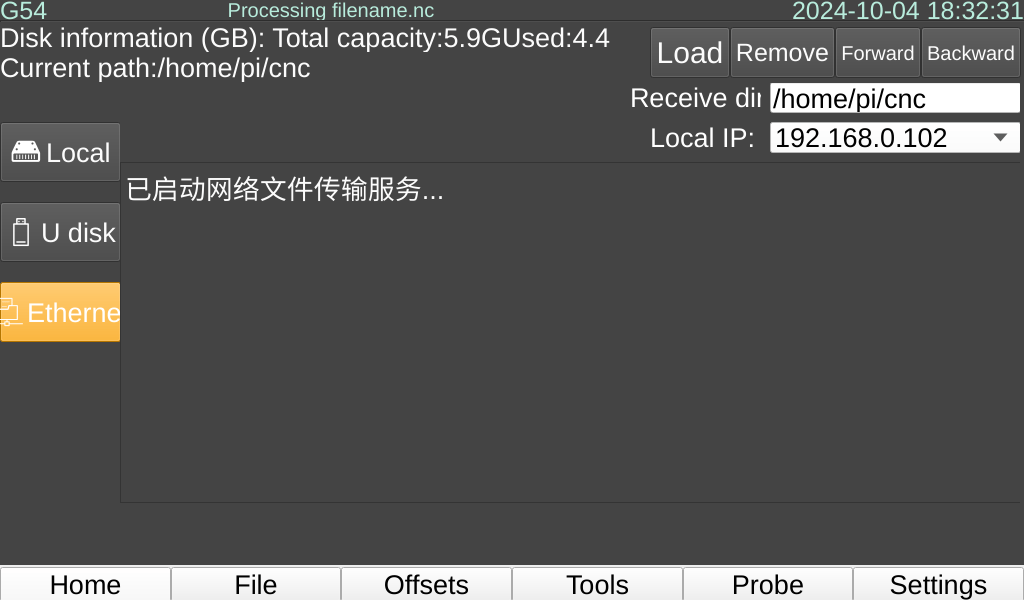
Open E-Link, enter the controller’s IP address, and click connect.
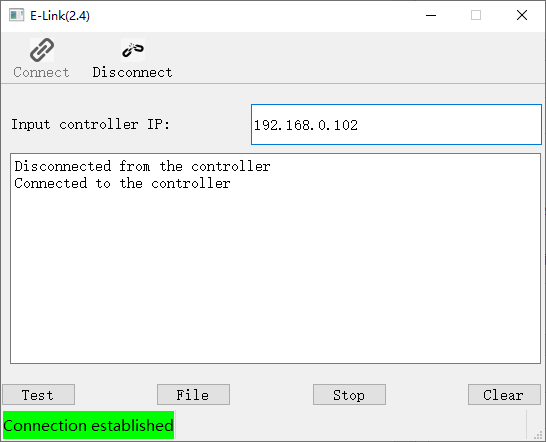
After a successful connection, click on “File” and select a file to start the transfer. You can also drag the file into the software window.
The files sent are by default placed in the root directory inside the controller, which is Local.
⭐: Files will be filtered for display, currently only showing files with the extensions: “*.nc” << “*.txt” << “.ncc” << “.ngc” << “.tap”.


